In 2026, the digital workspace has never been more complex. Professionals and businesses are using an ever-growing number of tools project management apps, analytics platforms, creative software, and AI-powered assistants all at once. While these tools promise efficiency, managing them individually can quickly become overwhelming, leading to wasted time, missed deadlines, and fragmented workflows. The challenge isn’t just keeping track of these tools; it’s making them work together seamlessly.
This is where modern AI solutions step in. Today’s AI platforms go beyond simple automation they help centralize tasks, track performance, and even predict what you need next. By integrating multiple tools into a single, intelligent ecosystem, AI not only saves time but also enhances productivity and decision-making. Whether you’re a freelancer, a startup founder, or part of a large organization, leveraging the right AI solutions can transform the way you manage work, turning chaos into a streamlined, efficient workflow.
Why AI Is Crucial for Multi-Tool & Multi-Task Management
Before diving into tools, it helps to understand why AI matters now more than ever.
Tool proliferation
As companies adopt specialized tools for messaging, project management, design, CRM, file storage the overhead of switching between them, keeping them synced, and managing redundancies grows.
Repetitive, time‑consuming tasks
Think of writing emails, scheduling meetings, summarizing documents, updating spreadsheets, generating reports. These are essential but often drain time that could be used on strategic thinking.
Need for orchestration & automation
Rather than manually copy‑pasting or switching contexts, AI can act as a bridge/agent to automate flows across tools.
Scalability & efficiency
As workloads scale, manual coordination becomes error-prone; AI-driven automation helps teams stay consistent, reduce bottlenecks, and maintain clarity.
Accessibility and affordability
With newer AI solutions (including multi‑model tools, agentic assistants, and integrations), even small teams or solo professionals can leverage sophisticated workflows without heavy infrastructure.
Core Types of AI Tools for Managing Workflows
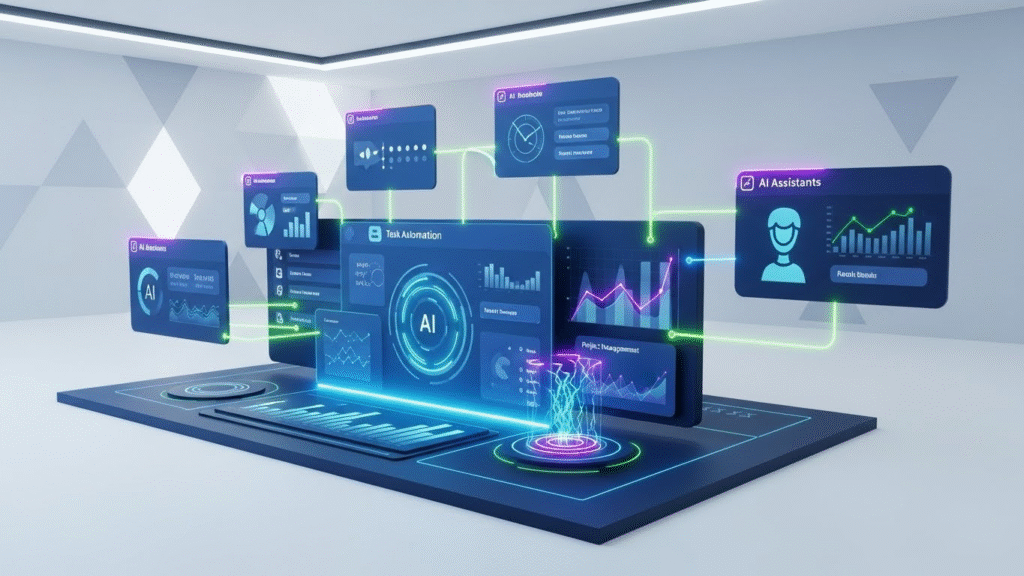
AI tools for multi‑tool management can be broadly grouped into these categories:
AI orchestration & automation platforms
Connect multiple apps and build automated workflows across them (Zapier vs Pipedream comparison).
AI‑powered project / task management systems
Platforms that integrate tasks, deadlines, resources, and give intelligent suggestions.
AI agents / assistants
Autonomous or semi-autonomous agents that can perform sequences of actions across apps (emails, scheduling, document generation, etc.).
Unified AI workspaces / multi‑model platforms
Interfaces that let you access different AI models (LLMs, vision models, agents) from a single dashboard.
Specialized AI tools for coding, content creation, design, documentation
Helpful when your tasks include coding, writing, design, data, etc.
Top AI Solutions in 2026

1. AI Orchestration & Automation
If you’ve ever wished your apps could “talk to each other,” Zapier is probably the most mature and widely used platform to make that happen. In 2026, Zapier remains a go-to for integrating and automating workflows across hundreds even thousands of apps.
Key Features:
- Connects to 8,000+ apps, allowing data and actions to flow between them automatically.
- Lets you build “Zaps”: workflows that trigger when something happens in one app (e.g. new email, new spreadsheet row) and then carry out actions in other apps (e.g. create task, send message).
- Has built-in AI capabilities — with natural‑language automation builder (Copilot), able to draft workflows based on simple descriptions like “summarize new leads in Slack every morning.”
- No-code / low‑code: you don’t need programming experience, making it accessible for small teams and solo entrepreneurs.
Why it’s ideal for multi‑tool management:
Zapier becomes the backbone of a digital workflow ecosystem. Instead of manually jumping between apps, Zapier handles data transfer and actions, freeing up mental load and ensuring consistency. For example, check our guide on small business AI workflows.
2. AI Project & Task Management Platforms
ClickUp has evolved beyond a simple task manager into a full-fledged AI‑powered project hub, making it suitable for managing multiple projects, tasks, documents, and timelines all under one roof.
What ClickUp offers:
- AI-powered automation: auto‑generate task lists, break down complex tasks into subtasks, help with brainstorming, track deadlines, and send reminders.
- Contextual insights & summaries: AI can summarize project briefs, meeting notes or long documents.
- Multiple views (list, board, calendar, timeline) and flexibility — useful for individuals, small teams, or larger teams.
Asana
Asana remains a favorite for teams needing structured collaboration, deadlines, and clarity across tasks.
Asana’s AI benefits:
- Smart task management: AI can suggest priorities, highlight potential bottlenecks, and automate routine updates.
- Automated workflows and smart goal‑setting: good for aligning tasks with larger business objectives.
- Easy integration with many apps (Slack, Drive, etc.), reducing the need to hop between tools.
When to use ClickUp vs Asana:
| Need / Situation | Recommended Tool |
|---|---|
| Flexible workflows, multiple project types, versatile views, working solo or small team | ClickUp |
| Structured workflows, team collaboration with clear roles/responsibilities, long-term projects | Asana |
For many businesses—especially those with mixed tasks (design, marketing, operations, printing, customer management) — a combination of Zapier + ClickUp/Asana gives powerful automation + oversight.
3. Unified & Multi‑Model AI Workspaces
In 2025–2026, a new wave of AI platforms tries to unify access to different large language models (LLMs), AI tools, and workflows — giving users flexibility rather than locking them into one model or one vendor.
Why Lumio AI stands out:
- Lets users access multiple leading AI models — e.g., models akin to ChatGPT, other LLMs, image generation, etc. — from a single interface.
- Offers “smart model switching”: you can choose (or have AI suggest) the best model for a given task: e.g., big‑doc summaries, creative writing, coding help, etc.
- Good for freelancers, small teams, or business owners who don’t want to juggle multiple subscriptions or interfaces. If your work spans content, coding, planning, creative design, a multi‑model interface reduces friction.
For someone in an apparel printing business (like you), Lumio AI could serve as a central AI hub: drafting marketing copy, generating design ideas, summarizing supplier emails, planning social‑media content all from one place, with the option to swap models depending on need.
4. Agent‑Based & Autonomous AI
Perhaps the most futuristic and potentially transformative category: AI agents that can operate independently, reasoning across steps, tools, and data. In 2025–2026, platforms like Manus signal a shift from “AI assistant” to “AI collaborator.”
What Manus brings:
- Capable of autonomous task execution, including reasoning, planning, decision-making across multiple steps.
- Can handle complex workflows that involve multiple tools — opening apps, reading data, making decisions, and outputting deliverables.
- For tasks such as document drafting, research, summarization of multiple data sources, or sequences of dependent tasks (e.g., gather data → analyze → compile), Manus can operate with minimal human supervision.
Use Cases:
- Fast report generation from multiple data sources.
- Automating recurring workflows (e.g., weekly reports, order processing, email followups).
- Acting as a “digital assistant” for small business owners — reduce manual overhead, focus on core business strategy.
As agentic AI becomes more mainstream and reliable, tools like Manus could reduce the need for manual “glue work” and let you scale operations without scaling overhead.
Comparing the Tools
Here’s a quick comparison to help you decide:
| Scenario / Need | Recommended Approach / Tools |
|---|---|
| Automate recurring workflows across multiple apps (e.g. email → spreadsheet → CRM) | Zapier (automation + integrations) |
| Manage tasks, deadlines, teams, projects | ClickUp or Asana (AI‑powered project management) |
| Want a single interface for content, writing, creative work, coding | Lumio AI (multi‑model workspace) |
| Need autonomous task execution or complex workflows with minimal manual input | Manus (AI agent), or mix with orchestration tools + project managers |
| Running a small business with mixed tasks (operations, marketing, design, admin) | Hybrid stack: Zapier + ClickUp/Asana + Lumio (or Manus) |
With the right combination, you don’t have to rely on a single tool — instead, build a custom AI‑powered workflow stack that adapts to your business needs.
Real-World Workflow Example for a Small Business (e.g. Apparel Printing Firm)
To make this more concrete, here’s how a small clothing‑printing / design business (like one you may be considering) could use these AI tools:
- Order comes in via form/email → trigger automation in Zapier → new task created in ClickUp/Asana.
- Task is assigned to designer → use Lumio AI to generate design ideas, writing marketing copy, create social‑media mockups.
- Client feedback arrives → Zapier forwards feedback, updates status in project manager, notifies designer.
- Weekly progress report generated → use Manus or automated workflow: gather data, summarize production stats, generate PDF or email.
- Marketing & content schedule → ClickUp/Asana calendar + AI‑generated posts via Lumio → scheduled automatically via Zapier to social‑media tools.
This stack reduces switching cost, ensures consistency, automates repetitive tasks — and lets you focus on design, customer interaction, and growth.
Challenges & Things to Watch Out For
Using AI to manage tools and tasks is powerful but not magic. There are some caveats and best practices:
Integration limitations
Not all tools/apps may be supported by orchestration platforms or AI agents; custom integration may be needed.
Quality and oversight
Quality and oversight refers to the process of ensuring standards are consistently met through careful monitoring and management.
Cost management
Using multiple AI tools (or high‑powered agents) may increase subscription or usage costs. It’s important to weigh benefit vs cost.
Data security and privacy
When automating across tools, sensitive business data (client info, financials) may be passed across platforms ensure you trust the tools and comply with privacy regulations.
Reliability & maintenance
Automation needs monitoring if a tool changes API or login, automation may break. Also, agents may misinterpret complex tasks.
Despite challenges, with careful setup and oversight, AI-based orchestration and management can deliver huge gains, especially for small-to-medium operations.
What to Expect in 2026–2027

As we move farther into 2026 and beyond, several trends are shaping how AI will help manage tools & tasks:
- More agentic AI: Platforms like Manus (and other upcoming agents) will become more powerful, with better reasoning, longer context, and safer automation — allowing for even more complex, cross-tool workflows.
- Unified AI “workspaces”: Instead of separate subscriptions and UIs for each AI model or tool category, more software will offer multi-model, multi-capability workspaces — reducing friction and learning curve.
- Better integration ecosystems: AI orchestration tools will expand their app directories, offer easier connectors, and support more niche tools used by small businesses globally (from CRM to locally used payment platforms to regional tools).
- Smarter automation via context-awareness: AI that understands the context — e.g. your business, user preferences, past behavior — and suggests proactive automation (not just reactive workflows).
- Affordable access: As competition increases, smaller pricing tiers and pay‑as‑you‑go models may emerge, making powerful AI workflows accessible to freelancers, micro‑businesses and startups worldwide (including in Pakistan).
For entrepreneurs and small business owners, this means AI will become not just a helper but a core operational layer.
Conclusion
Managing multiple tools and tasks whether you’re handling projects, content, design, operations or client interaction can quickly become unwieldy. But with the AI solutions available in 2026, you don’t have to trade flexibility for efficiency.
The best results often come from combining different kinds of AI tools: orchestration platforms (like Zapier) for automated workflows; project/task managers (like ClickUp, Asana) for team coordination; unified AI workspaces (like Lumio AI) for creative & content tasks; and agent-based AI (like Manus) for complex or repetitive operations that benefit from automation.
For small business owners especially in creative and production industries like apparel printing investing time to set up an AI‑powered workflow can pay off heavily: saving hours, reducing errors, and freeing mental bandwidth to focus on growth, creativity, and client relationships.
FAQs
1. What are AI solutions for managing multiple tools and tasks?
AI solutions centralize multiple apps and workflows, automating tasks and tracking progress from a single dashboard. They help businesses save time, reduce errors, and boost productivity.
2. Why do businesses need AI task and tool management solutions?
Managing multiple tools manually is time-consuming and inefficient. AI solutions automate workflows, track tasks, and provide insights to improve efficiency and decision-making.
3. How do AI solutions integrate multiple tools?
They connect apps via APIs or built-in integrations, sync data, and consolidate updates in one interface. This allows seamless workflow management across platforms.
4. Can AI solutions automate repetitive tasks?
Yes, AI can handle tasks like scheduling, notifications, data entry, and report generation, freeing teams to focus on strategic work.
5. What features should I look for in AI solutions?
Look for automation, cross-tool integration, analytics, dashboards, task prioritization, collaboration tools, and strong security.
6. Are these solutions suitable for small businesses or freelancers?
Yes, they are scalable, cost-effective, and help small teams or freelancers save time while staying organized.
7. How will AI solutions evolve by 2026?
AI will become predictive, intuitive, and capable of suggesting optimizations, automating decisions, and improving productivity with minimal input.
8. Can AI solutions improve team collaboration?
Yes, shared dashboards, task tracking, and intelligent notifications help teams coordinate efficiently and reduce miscommunication.
9. Are there risks associated with using AI solutions?
Risks include data privacy issues, over-reliance on automation, and integration challenges, which can be managed with reputable platforms.
10. How can I get started with AI task management solutions?
Start by identifying tasks to automate, choose a suitable platform, begin with trial features, and gradually expand AI usage for maximum efficiency.