In 2026, working smarter isn’t just a buzzword it’s a necessity. With the rise of AI-powered tools, professionals and teams now have access to solutions that can streamline tasks, boost productivity, and reduce the stress of daily work. From automating repetitive processes to providing intelligent insights, free AI tools are levelling the playing field, allowing anyone to optimize their workflow without breaking the bank.
Whether you’re managing projects, scheduling meetings, or generating content, these AI tools act like a personal assistant that never sleeps. In this guide, we’ll explore the best free AI tools to help you work more efficiently, save time, and stay ahead in an increasingly fast-paced digital world.
Why Smart Work Tools Matter More Than Ever in 2026
The modern workday is filled with distractions, repetitive tasks, and information overload. Smart automation and intelligent assistance help reduce this pressure by handling routine work and improving decision-making.
Key reasons these tools are now essential:
- Remote and hybrid work is the norm (read more about AI tools for remote teams)
- Faster turnaround times are expected
- Competition is global, not local
- Skill gaps are increasing across industries
Using the right tools allows professionals to focus on strategy, creativity, and results instead of busywork.
What Makes a Tool Truly Useful for Smarter Work?
Not every trending tool is worth your time. The most effective platforms share a few core qualities:
- Ease of use – minimal learning curve
- Free plan with real value – not just a trial
- Time-saving features – automation, suggestions, smart organization
- Cross-platform support – web, desktop, mobile
- Security and reliability
Throughout this article, tools are selected based on these practical criteria.
Best Free AI Tools for Task & Project Management
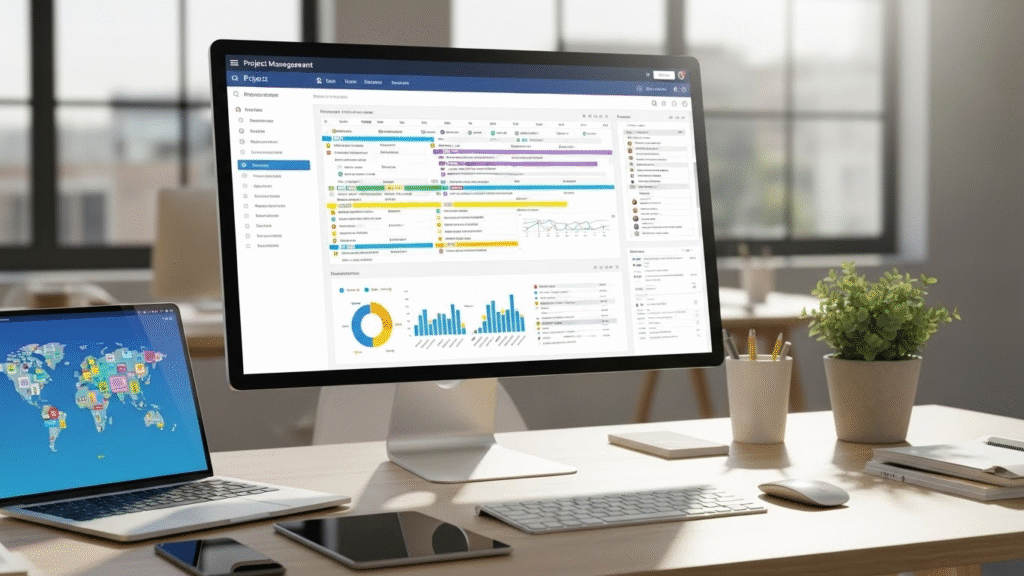
Managing tasks efficiently is the foundation of smart work. These tools help organize priorities, deadlines, and collaboration without complexity.
Notion
Notion is an all-in-one productivity tool that helps individuals and teams organize their work efficiently. It combines notes, tasks, databases, and collaboration features in a single platform. Users can customize it to manage projects, track goals, and streamline daily workflows.
Best for: Individuals, content teams, startups
Key benefits:
- Custom task boards and calendars
- Smart templates for workflows
- Collaborative editing and comments
- Ideal for knowledge management
Practical example: A content manager can plan editorial calendars, track deadlines, and store research in one workspace.
ClickUp
ClickUp is a powerful project management and productivity platform designed to help teams plan, organize, and track their work efficiently. It combines tasks, documents, goals, and communication in one centralized workspace. With customizable features and integrations, ClickUp streamlines workflows and boosts team collaboration.
Best for: Teams managing multiple projects
Key benefits:
- Task dependencies and priorities
- Time tracking
- Multiple project views (list, board, calendar)
Internal linking suggestion: Use project management workflow optimization as an anchor text to link related content naturally.
Best Free Tools for Writing, Research & Documentation

Clear communication saves time, reduces errors, and improves results.
Grammarly
Grammarly is an AI-powered writing assistant that helps users improve their writing by checking grammar, spelling, punctuation, and style. It provides real-time suggestions to make text clear, concise, and professional. Whether for emails, documents, or social media posts, Grammarly ensures your writing is polished and effective.
Best for: Emails, reports, proposals
Key benefits:
- Grammar and spelling corrections
- Tone clarity suggestions
- Browser and app integrations
Real-world use: A freelancer can send polished client emails without second-guessing wording.
Google Docs Smart Features
Google Docs Smart Features are tools designed to make writing and editing faster and easier. They include features like grammar and spell check, smart suggestions, and automatic formatting. These intelligent tools help users create polished documents with minimal effort.
Best for: Collaboration and documentation
Key benefits:
- Real-time collaboration
- Smart formatting and suggestions
- Easy sharing and access
Best Free AI Tools for Design & Visual Content

Visual communication is no longer optional. These tools make design accessible without professional skills.
Canva
Canva is an easy-to-use online design tool that allows anyone to create professional-looking graphics, presentations, and social media posts without needing advanced design skills. It offers a wide variety of templates, fonts, and images, making design accessible to beginners and professionals alike. Whether for personal projects or business marketing, Canva simplifies the creative process and saves time.
Best for: Social media, presentations, marketing visuals
Key benefits:
- Drag-and-drop editor
- Thousands of free templates
- Brand kits for consistency
Practical example: A small business owner can design social posts, flyers, and presentations without hiring a designer. Learn how to optimize your online presence with AI design tools
Remove.bg
Remove.bg is an online tool that automatically removes backgrounds from images in seconds. It uses AI technology to detect the subject and separate it from the background. This makes it easy for users to create transparent images for graphic design, presentations, or social media.
Best for: Product photos, profile images
Key benefits:
- One-click background removal
- Clean, professional results
Best Free AI Tools for Data, Analytics & Insights

Making smarter decisions requires understanding data without complexity.
Google Sheets Smart Features
Google Sheets smart features help users work faster and more efficiently by automating tasks like data entry and calculations. Tools like formulas, suggestions, and conditional formatting make it easier to organize and analyze data. These features save time, reduce errors, and enhance productivity for both individuals and teams.
Best for: Budgeting, reports, tracking performance
Key benefits:
- Smart fill and formula suggestions
- Collaborative editing
- Easy data visualization
Microsoft Power BI
Microsoft Power BI is a powerful business analytics tool that helps organizations visualize data and share insights. It transforms raw data into interactive reports and dashboards for better decision-making. With real-time analytics and easy integration, it enables users to track performance and trends effectively.
Best for: Business insights and reporting
Key benefits:
- Visual analytics
- Custom dashboards
- Data modeling tools
Tool Comparison by Use Case
| Category | Tool Name | Best For | Free Plan Strength |
|---|---|---|---|
| Task Management | Notion | All-in-one workspace | High |
| Project Tracking | ClickUp | Team projects | High |
| Writing Support | Grammarly | Error-free writing | Medium |
| Design | Canva | Visual content | High |
| Data Analysis | Google Sheets | Everyday analytics | High |
| Reporting | Power BI | Business dashboards | Medium |
Best Free AI Tools for Meetings & Communication
Meetings don’t have to waste time when managed correctly.
Zoom Free Plan
The Zoom Free Plan allows users to host online meetings with basic features at no cost. Meetings can include up to 100 participants, but group sessions are limited to 40 minutes. It’s ideal for casual video calls, small team meetings, or personal use without any subscription fees.
Best for: Remote teams, client calls
Key benefits:
- Stable video quality
- Screen sharing
- Meeting recordings (limited)
Otter
Otters are playful aquatic mammals known for their agility and intelligence. They live in rivers, lakes, and coastal areas, often using tools to open shells. Their thick fur keeps them warm, making them well-adapted to both water and land environments.
Best for: Notes, interviews, discussions
Key benefits:
- Real-time transcription
- Searchable notes
- Speaker identification
Practical example: A project manager can review meeting summaries instead of replaying recordings.
Best Free AI Tools for Personal Productivity

Smarter work starts with better personal habits.
Todoist
Todoist is a powerful task management app that helps you organize your work and personal projects in one place. It allows you to create tasks, set deadlines, and prioritize them for better productivity. With features like reminders, labels, and project tracking, Todoist keeps you focused and ensures nothing important is ever missed.
Best for: Personal productivity
Key benefits:
- Simple task lists
- Priority levels
- Cross-device syncing
Forest App
The Forest App is a productivity tool designed to help users stay focused and avoid distractions. By planting virtual trees that grow as you stay off your phone, it encourages consistent concentration. Over time, these trees form a virtual forest, visually representing your focused efforts and progress.
Best for: Deep work sessions
Key benefits:
- Focus timers
- Motivation through gamification
How These Tools Save Time Weekly
| Task Type | Tool Used | Avg Time Saved / Week |
|---|---|---|
| Task planning | Notion | 3–4 hours |
| Writing & editing | Grammarly | 2 hours |
| Design work | Canva | 4–5 hours |
| Meetings notes | Otter | 1–2 hours |
| Data reporting | Power BI | 3 hours |
How to Build a Smart Work Stack
Instead of using too many tools, focus on a balanced stack:
- Core workspace – Notion or ClickUp
- Communication – Zoom + Otter
- Writing & docs – Google Docs + Grammarly
- Design – Canva
- Data tracking – Google Sheets
Internal linking suggestion: Use anchor text like “productivity tools for remote teams” in related articles.
Common Mistakes to Avoid When Using Smart Tools

Installing too many platforms
Installing too many platforms on your system can lead to unnecessary complexity and confusion. Each additional platform consumes storage and system resources, slowing down overall performance. Focusing on a few essential platforms ensures efficiency and smoother workflow. Focus on essentials (best AI solutions for managing multiple tools) for efficiency.
Ignoring setup and organization
Ignoring setup and organization can lead to confusion and wasted time. Without a clear plan or proper arrangement, tasks often become chaotic and inefficient. Taking the time to organize and set up properly ensures smoother workflow and better results.
Not reviewing workflows regularly
Not reviewing workflows regularly can lead to inefficiencies and missed opportunities for improvement. When processes are left unchecked, small issues can accumulate, slowing down productivity. Regular review ensures workflows remain optimized, up-to-date, and aligned with business goals.
Relying on tools without human judgment
Relying solely on tools without applying human judgment can lead to mistakes and misinterpretations. Tools can provide data, suggestions, or automation, but they lack context, intuition, and critical thinking. Combining human insight with tools ensures smarter, more accurate decisions.
Conclusion
Managing work smarter in 2026 isn’t about working longer hours or using every new platform. It’s about choosing the right free tools that align with your goals, reduce friction, and free up time for meaningful work.
By combining the tools covered in this guide with clear workflows and consistent habits, professionals can stay productive, competitive, and stress-free without spending a single dollar. The future of work belongs to those who work intelligently, not endlessly.
FAQs
1. Are free tools enough for professional work?
Yes, many free plans offer powerful features suitable for individuals and small teams when used strategically.
2. Can these tools replace human decision-making?
No. They assist with efficiency and insights, but human judgment remains essential.
3. Are free plans secure for business use?
Most reputable platforms follow strong security standards, but sensitive data should always be handled carefully.
4. How many tools should I use at once?
Ideally 4–6 tools covering core needs like tasks, communication, design, and data.
5. Do these tools work for freelancers and solo professionals?
Absolutely. Many freelancers rely entirely on free plans to manage clients and projects.