Remote work is no longer an experiment. By 2026, distributed teams have become the default operating model for start ups, agencies, SaaS companies, and even large enterprises. With this shift comes a new challenge managing dozens of intelligent tools, platforms, and workflows without losing visibility, productivity, or control.
This is where an AI tools manager for remote teams becomes essential. Instead of juggling scattered subscriptions, disconnected dashboards, and inconsistent processes, teams need a centralized system that brings clarity, efficiency, and accountability.
This guide is designed to help founders, managers, and operations leaders understand what an AI tools manager really is, why it matters in 2026, and how to choose and implement the right solution for long-term success.
What Is an AI Tools Manager for Remote Teams?
An AI tools manager is a centralized system or platform that helps remote teams organize, control, optimize, and monitor intelligent tools used across departments. These tools may support communication, content creation, analytics, project management, customer support, development, or automation.
Rather than allowing every team member to adopt tools independently, an AI tools manager brings structure by:
- Centralizing access to tools and subscriptions
- Defining usage rules and permissions
- Monitoring performance and ROI
- Ensuring consistent workflows across time zones
If you’re new to this concept, this practical walkthrough explains the setup clearly: https://aitoolsmanager.com/how-to-use-ai-tools-manager/
For remote teams, this centralized control is not about restriction. It’s about alignment, visibility, and efficiency.
Why Remote Teams Need an AI Tools Manager in 2026
Remote teams in 2026 face challenges that didn’t exist just a few years ago. The number of tools has exploded, while team structures have become more fluid and global.
Tool Sprawl Is Costing Teams More Than Money
Many remote companies unknowingly pay for:
- Duplicate subscriptions across departments
- Underutilized tools with overlapping features
- Premium plans that only a few people actually need
An AI tools manager helps identify waste and streamline tool usage without hurting productivity.
Consistency Across Time Zones
When teams work asynchronously, inconsistent tools and workflows lead to confusion. A centralized manager ensures everyone follows the same standards, no matter where they are located.
Security and Access Control
Remote work increases security risks. Without proper oversight, sensitive data can easily be exposed. An AI tools manager helps:
- Control user permissions
- Track access history
- Reduce risks from shadow tools
Core Features to Expect in an AI Tools Manager
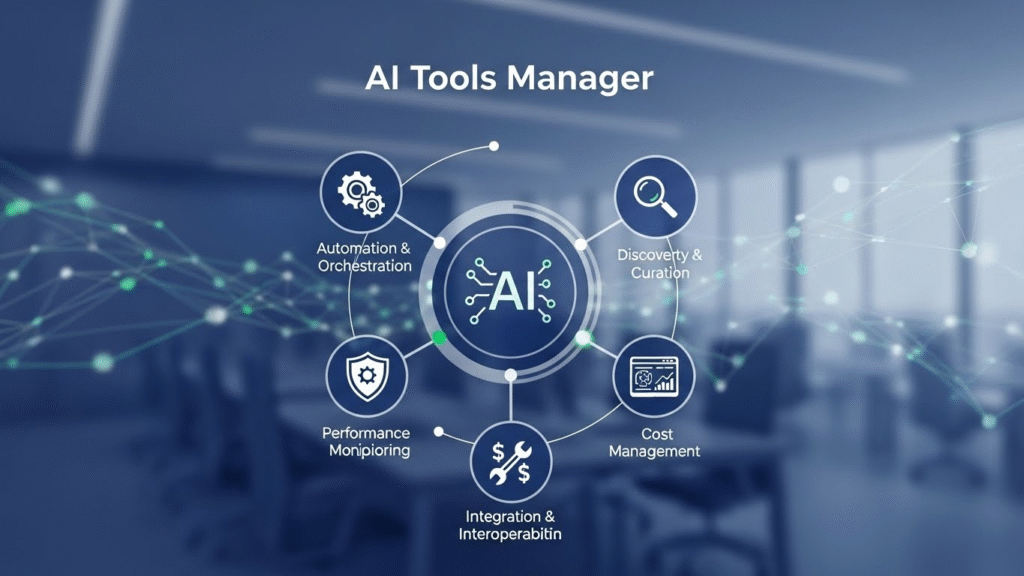
Not all platforms are created equal. In 2026, a reliable AI tools manager for remote teams should include the following core capabilities.
Centralized Dashboard
A single dashboard that displays:
- All active tools
- User access levels
- Usage frequency
- Performance indicators
This shift away from manual tracking is covered in detail here:
https://aitoolsmanager.com/the-ai-tools-manager-revolutionizing-manual-workflow/
Smart Usage Analytics
Beyond basic tracking, modern systems provide insights such as:
- Which tools actually improve output
- Which teams benefit the most
- Where adoption is declining
This data helps leaders optimize workflows instead of guessing.
Role-Based Access Management
Remote teams are dynamic. People join, leave, or switch roles frequently. A good manager allows you to:
- Assign tools based on roles
- Revoke access instantly
- Prevent unauthorized usage
Integration-Friendly Architecture
An AI tools manager should connect seamlessly with:
- Project management systems
- Communication platforms
- Analytics dashboards
This avoids creating yet another isolated system.
Key Benefits for Remote Teams

Implementing an AI tools manager delivers measurable benefits across operations, finance, and team culture.
Improved Productivity Without Burnout
Instead of overwhelming employees with dozens of tools, managers can:
- Recommend the right tool for each task
- Reduce unnecessary context switching
- Create repeatable workflows
Better Budget Control
With clear visibility into tool usage, finance teams can:
- Cut unused subscriptions
- Downgrade plans where needed
- Forecast tool-related costs accurately
Stronger Team Alignment
When everyone uses the same approved tools, collaboration improves naturally. New hires onboard faster, and cross-functional work becomes smoother.
Impact of an AI Tools Manager on Remote Teams
| Area | Without Tools Manager | With AI Tools Manager |
|---|---|---|
| Tool Visibility | Scattered across teams | Centralized dashboard |
| Subscription Costs | High and unpredictable | Optimized and controlled |
| Security | High risk from shadow tools | Role-based access control |
| Productivity | Inconsistent workflows | Standardized processes |
| Onboarding | Slow and confusing | Fast and structured |
Real-World Example: A Distributed Marketing Team
Consider a remote marketing agency with team members in five countries. Over time, different team members adopt their own tools for content, analytics, design, and automation.
The result?
- Multiple tools doing the same job
- Confusion over which platform to use
- Rising monthly software costs
After implementing an AI tools manager, the agency:
- Reduced software expenses by nearly 30%
- Standardized content and reporting workflows
- Improved turnaround time for client projects
The key wasn’t adding more tools, but managing them intelligently.
How to Choose the Right AI Tools Manager in 2026

Selecting the right solution depends on your team size, industry, and growth plans.
Evaluate Your Current Tool Stack
Start by listing:
- All tools currently in use
- Their purpose
- Number of active users
This clarity helps you choose a manager that fits your reality.
List all tools, their purpose, and active users. Then compare solutions using this future-focused guide:
https://aitoolsmanager.com/2026-guide-to-the-best-ai-tools-manager/
Prioritize Ease of Use
A complex system defeats the purpose. Look for:
- Clean interface
- Simple onboarding
- Clear reporting
Scalability Matters
Your team may double in size within a year. Choose a platform that can grow without becoming chaotic.
Feature Comparison Table to Guide Selection
| Feature | Why It Matters | Priority Level |
| Central Dashboard | Full visibility | High |
| Usage Analytics | ROI optimization | High |
| Access Control | Security | High |
| Integrations | Workflow continuity | Medium |
| Custom Rules | Team-specific needs | Medium |
Implementation Best Practices for Remote Teams
Even the best tools fail without proper implementation.
Start With Clear Guidelines
Define:
- Approved tools list
- Usage policies
- Ownership for each tool
Train Team Leads First
When managers understand the system, adoption flows naturally to the rest of the team.
Review Quarterly
Remote teams evolve fast. Schedule regular reviews to:
- Remove outdated tools
- Adjust access
- Measure impact
Common Mistakes to Avoid
1.Trying to manage every tool manually
Trying to manage every tool manually quickly becomes overwhelming as the number of platforms grows. Teams waste valuable time switching between dashboards, handling separate logins, and repeating the same tasks across tools. This manual approach not only reduces productivity but also increases the risk of errors, missed updates, and inconsistent workflows.
2.Ignoring team feedback
Ignoring team feedback means overlooking the ideas, concerns, and suggestions shared by employees during discussions or reviews. When leaders fail to listen, team members may feel undervalued, which can reduce motivation and trust. Over time, this behaviour weakens collaboration, lowers morale, and negatively impacts overall team performance.
3.Overcomplicating workflows
Overcomplicating workflows can slow down productivity and create unnecessary confusion. When processes have too many steps or approvals, teams spend more time navigating the system than actually completing tasks. Simplifying workflows ensures efficiency, clarity, and smoother collaboration across the team.
4.Treating the manager
Treating the manager with respect and professionalism is essential for a positive work environment. It involves clear communication, understanding their expectations, and offering support when needed. Building a good relationship with the manager helps improve teamwork, productivity, and mutual trust.
Internal Linking Opportunities
To strengthen topical authority, consider linking this guide with related resources using anchor text such as:
- Remote team productivity strategies
- Tool stack optimization guide
- SaaS cost management for start ups
- Digital workflow automation basics
These internal links help readers explore deeper while improving site structure.
Conclusion
In 2026, managing tools is just as important as choosing them. For remote teams, an AI tools manager is no longer a luxury but a necessity for staying organized, secure, and productive.
By centralizing control, improving visibility, and aligning workflows, teams can focus less on managing software and more on delivering real results. The right system doesn’t restrict creativity it empowers it.
FAQs
1. What size remote team needs an AI tools manager?
Any team using more than five to seven digital tools can benefit. The larger and more distributed the team, the greater the impact.
2. Is an AI tools manager only for tech companies?
No. Marketing agencies, ecommerce brands, consultancies, and service businesses all benefit from centralized tool management.
3. How long does implementation usually take?
Most teams can implement a basic setup within a few weeks, depending on tool complexity and team size.
4. Can small startups afford an AI tools manager?
Yes. Many solutions scale pricing based on team size and usage, making them accessible even for early-stage companies.
5. How does this improve remote team collaboration?
By reducing confusion, standardizing tools, and improving visibility, teams collaborate faster and with fewer misunderstandings.